
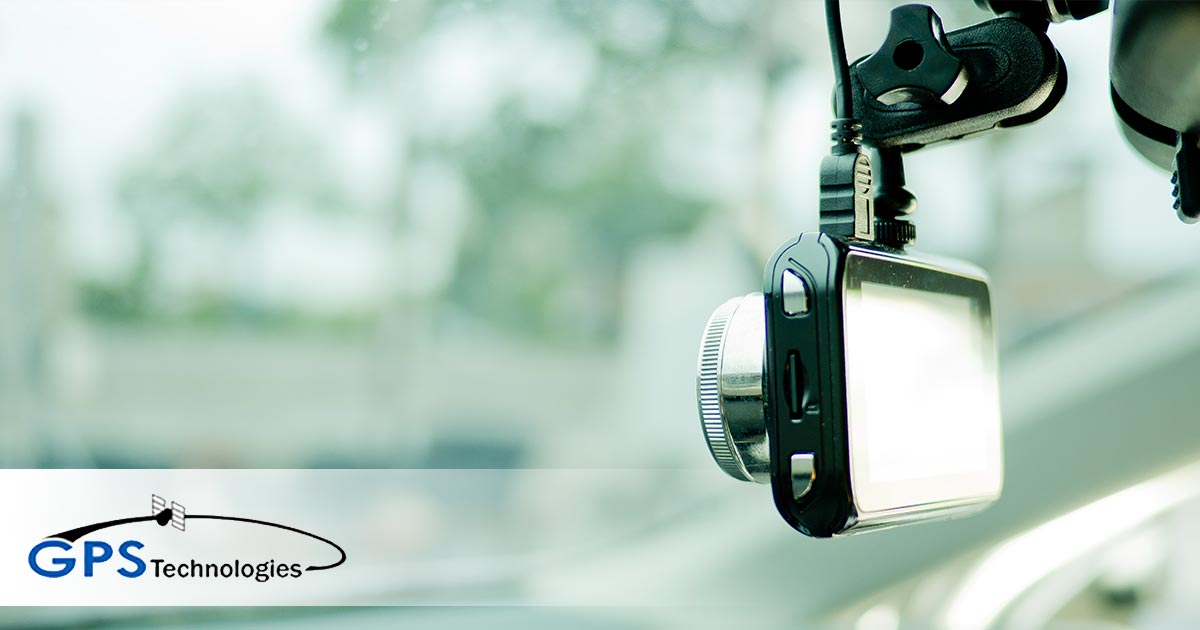
Do Dash Cams Need GPS? Why a Dash Cam With GPS Matters
A dash cam doesn’t need GPS to record video, but a dash cam with GPS is far more useful. GPS stamps every clip with the vehicle’s location, speed, date, and time, which turns raw footage into evidence you can place on a map. For fleets, a GPS-connected dash cam also links video to tracking data, so you can find, verify, and share the right clip in minutes.
Below, we break down what GPS adds to dash cam footage, when it matters most, how standalone GPS dash cams compare with dash cams built into a telematics system, and what commercial fleets should look for before buying.
Does a dash cam need GPS?
No, GPS isn’t required for a dash cam to work. A camera without GPS still records the road. What it can’t tell you is exactly where the vehicle was or how fast it was moving when something happened.
For a personal car that rarely sees trouble, video alone may be enough. For business vehicles, GPS is worth having. When a claim, complaint, or dispute lands weeks after the fact, location and speed data are often what make the footage useful.
What does GPS add to dash cam footage?
GPS adds context. Instead of a video showing an intersection, you get a video showing which intersection, at what time, and at what speed.
| GPS data | What it shows | Why it matters |
|---|---|---|
| Location | Where the vehicle was during each clip | Pinpoints an incident for police reports and insurance claims |
| Speed | How fast the vehicle was traveling | Shows whether the driver was at or below the posted limit before an event |
| Date and time | An accurate timestamp on every recording | Matches footage to a customer complaint, delivery, or claim |
| Route | The path driven before and after a clip | Adds context for coaching and dispute resolution |
Why does GPS matter for fleet dash cams?
For fleets, GPS turns a dash cam from a passive recorder into a working management tool. Here is where it pays off most.
Accidents and insurance claims
When a crash happens, video shows what occurred, while GPS data shows where it happened and how fast your vehicle was going. That combination helps insurers and investigators understand the event, and it can support your driver’s account when fault is disputed. It is especially useful for incidents with no other vehicle involved, such as hitting a deer or debris, when a claim may be filed hours later and the exact location is fuzzy.
Finding the right footage fast
A dash cam can record hours of video every day. Without location and time data, finding a 30-second clip means scrubbing through recordings. With GPS, you can search by where and when an incident happened and go straight to the footage that matters.
Customer complaints and false claims
When a customer says a driver was speeding through their neighborhood or never showed up, GPS-tagged video shows exactly where the vehicle was and what it was doing. Clear records help you resolve complaints quickly and push back on claims that don’t hold up.
Driver coaching
Video alone shows a hard brake. Video with GPS shows the speed leading up to it and the road where it happened. That context makes coaching conversations fairer and more specific, and it gives you a way to recognize drivers who consistently drive safely.
Standalone GPS dash cam vs. dash cam with integrated telematics
There are two ways to get GPS with a dash cam: a camera with a built-in GPS receiver that tags its own footage, or a dash cam connected to a fleet telematics platform. For business vehicles, the difference is significant.
| Feature | Standalone GPS dash cam | Dash cam with integrated telematics |
|---|---|---|
| GPS-tagged video | Yes | Yes |
| How you get footage | Usually pulled from a memory card in the vehicle | Accessed through an online platform |
| Live vehicle location | Typically no | Yes, alongside fleet tracking data |
| Fleet-wide view | Each camera managed separately | All vehicles in one system |
| Best for | Personal vehicles and one or two cars | Business fleets of any size |
If someone has to drive to the vehicle and pull a memory card every time there is an incident, footage gets lost or overwritten. Dashcams with integrated telematics, such as the IQ-Cam, pair video with location data so managers can review what happened without tracking down the truck first.
Should a fleet dash cam be forward-facing or dual-facing?
Forward-facing cameras record the road ahead, which covers most collision and liability situations. Dual-facing cameras add a view of the cab, which helps with coaching and with showing what the driver was doing at the moment of an incident. The IQ-Cam offers both forward-facing and cab-facing recording.
If you add a cab-facing camera, tell drivers about it in writing and explain how footage will be used. Rules on recording inside vehicles, particularly audio, vary by state, so have your policy reviewed before rollout.
Where can you mount a dash cam in a commercial vehicle?
Commercial motor vehicles have specific windshield mounting rules. Under an FMCSA rule that took effect May 6, 2022, devices that qualify as vehicle safety technology may be mounted not more than 216 mm (8.5 inches) below the upper edge of the area swept by the windshield wipers, or not more than 175 mm (7 inches) above the lower edge of that area, and outside the driver’s sight lines to the road and to highway signs and signals.
Mounting a camera outside those zones can create an inspection issue, so confirm placement during installation. Passenger vehicles follow state windshield obstruction laws, which vary.
What should you look for in a GPS dash cam for business?
- Integration with your tracking system, so video and location data live in one place.
- Remote access to footage, so you don’t depend on retrieving memory cards.
- Event-based clips triggered by hard braking or impacts, so key moments are saved automatically.
- Camera views that fit your risk, whether forward-facing only or forward and cab-facing.
- Video quality that holds up at night and in bad weather.
- Secure storage and clear retention settings, so footage is available when a claim arrives.
- Compliant installation that follows windshield mounting rules for your vehicle type.
Add GPS-connected dash cams to your fleet
GPS Technologies is a family-owned company that has helped businesses track vehicles and equipment since 1998. We pair dashcams with GPS fleet tracking so your video and location data work together, and we take the time to recommend a setup that fits how your vehicles are actually used.
Explore our fleet dashcam solutions, contact our team, or call (847) 382-5107, Monday through Friday, 8am to 5pm Central.
Frequently asked questions
Is GPS necessary for a dash cam?
GPS isn’t necessary for a dash cam to record video, but it adds location, speed, date, and time to every clip. That information makes footage far more useful for insurance claims, police reports, and customer disputes. For business vehicles, a dash cam with GPS or one connected to a fleet tracking system is the better choice.
Does a dash cam with GPS record speed?
Yes. A dash cam with GPS calculates speed from location changes and can show it alongside the video. That lets you see how fast the vehicle was traveling before and during an incident, which helps when fault is disputed or when you’re coaching a driver on speeding.
Can you track a dash cam with GPS in real time?
It depends on the camera. Many standalone GPS dash cams only tag recorded footage and don’t share live location. Dash cams connected to a fleet telematics platform, like those paired with GPS fleet tracking, let managers see where vehicles are while also accessing video through the same system.
Where should a dash cam be mounted in a commercial truck?
For commercial motor vehicles, FMCSA allows qualifying vehicle safety technology to be mounted within 8.5 inches below the top of the wiper-swept area or within 7 inches above the bottom of that area, outside the driver’s sight lines. Confirm placement during installation to avoid inspection issues.
Categorised in: GPS Monitoring Devices
This post was written by GPS Technologies Team
Comments are closed here.