
Delivery Fleet GPS Tracking for Last-Mile Operations
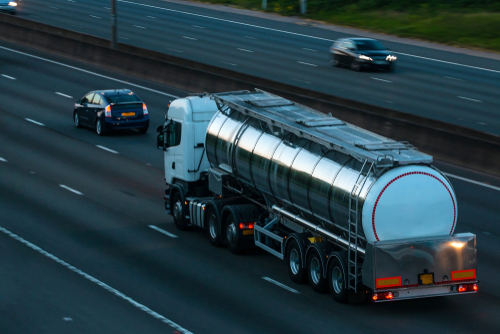
Delivery fleet GPS tracking shows dispatchers where every van and truck is in real time and records each stop along the route. For last-mile operations, that data does three things: it keeps routes efficient as conditions change, gives customers accurate arrival times, and creates a timestamped proof of delivery when a customer says a package never arrived.
Last-mile delivery is the busiest and most expensive leg of the trip. Drivers make dozens of stops in tight time windows, often through traffic, construction, and unfamiliar neighborhoods. This guide explains how GPS tracking for delivery drivers works, what problems it solves, and how to match tracking hardware to the size of your fleet.
Why Does Real-Time Visibility Matter for Delivery Fleets?
Real-time visibility replaces phone check-ins and guesswork with a live map of every vehicle. Dispatchers can see who is ahead, who is behind, and who is stuck, then act before a delivery window is missed rather than finding out at the end of the shift.
Without live location data, a dispatcher cannot tell whether a driver is in traffic, parked on a long stop, or off route. Customers calling for an update get a guess. A late-day problem surfaces only after it has already cost a missed window or a second trip.
Visibility also supports driver safety. If a vehicle breaks down or a driver is involved in an incident, the dispatcher can see the exact location immediately instead of waiting for a call.
How Does GPS Tracking Work for Delivery Drivers?
A GPS device installed in each delivery vehicle reports its location, speed, and ignition status to an online platform over a cellular network. Dispatchers watch the fleet live, replay completed routes, and set geofences that automatically log when a vehicle arrives at and leaves a location.
The data points that matter most for last-mile delivery are:
- Live location: Every vehicle’s current position, updated throughout the day.
- Route history: A street-by-street replay of each driver’s day, with stop times and lengths.
- Geofence entry and exit logs: Automatic timestamps when a vehicle arrives at a customer address, loading dock, or depot.
- Idle time: How long engines run while vehicles sit at stops or between deliveries.
- Driver behavior alerts: Speeding, harsh braking, and rapid acceleration flagged as they happen.
How Does GPS Tracking Improve Delivery Routes and Fuel Costs?
GPS tracking improves routes by showing where time and miles are actually lost: congestion, doubled-back streets, long idle periods, and stops sequenced out of order. Dispatchers use live positions to reroute drivers mid-shift, and route history to build better plans for the next day.
A planned route can look efficient on paper and still fall apart on the road. Live tracking lets a dispatcher move a stop to the closest driver, send a driver around a road closure, or reassign the rest of a route when a vehicle breaks down.
Over weeks, route history reveals patterns that are easy to fix:
- Excess idling: Engines left running at stops add fuel cost with no delivery value. Idle reports show which drivers and locations need attention.
- Off-route miles: Deviations from the planned path, including personal side trips, show up clearly in playback.
- Stop sequencing: Repeated backtracking across the same area points to routes that should be reordered.
- Vehicle wear: Fewer unnecessary miles means less wear on tires, brakes, and engines over time.
How Does Geofencing Create Proof of Delivery?
Geofencing creates proof of delivery by drawing a virtual boundary around a delivery address and logging the exact time a vehicle enters and leaves it. When a customer disputes a delivery, the dispatcher can pull a timestamped record instead of relying on a driver’s memory.
Geofences can wrap around customer addresses, commercial loading docks, or your own depot. Every arrival and departure is recorded automatically, so drivers do not have to note times by hand. Stop length is captured too, which helps managers see how long deliveries really take at different types of locations.
When a customer calls to say an order never arrived, the geofence log shows whether the vehicle was at the address and for how long. That record protects drivers from false claims and helps the business avoid paying for re-deliveries of goods that were already dropped off.
GPS data confirms the vehicle was at the location, not where the package was placed. Many delivery operations pair geofence records with a photo or signature captured in their delivery app for complete proof.
How Does GPS Tracking Improve Customer ETAs?
GPS tracking improves ETAs by giving dispatchers each vehicle’s actual position and progress instead of the planned schedule. When a customer asks when an order will arrive, the answer comes from live data, and delays can be communicated before the customer has to call.
Accurate ETAs reduce inbound “where is my order” calls and help customers be available for deliveries that need a signature. Fleets that use delivery management software can often feed GPS location data into it to automate customer notifications.
Which GPS Tracking Device Fits Your Delivery Fleet?
The right device depends on fleet size, how vehicles are used, and whether you need tracking that can’t be unplugged. Plug-in trackers suit small fleets that want fast setup, while hardwired trackers suit larger or long-term fleets that want tamper resistance and steady power.
| Fleet situation | Device type to consider | Why it fits |
|---|---|---|
| Small fleet getting started | Plug-in (OBD-II) tracker | Installs in minutes with no wiring and moves easily between vehicles |
| Growing or permanent fleet | Hardwired tracker | Hidden installation is harder to tamper with and draws steady vehicle power |
| Trailers, cargo, or unpowered equipment | Battery-powered portable tracker | Tracks assets that have no vehicle power source |
| Seasonal peaks or a trial run | Rented tracking units | Covers extra vehicles during busy periods without buying hardware |
Update frequency matters too. Dense urban routes with quick, back-to-back stops benefit from more frequent location updates, while longer suburban or regional routes can work well with less frequent reporting. Ask any provider which update intervals are available and how they affect the accuracy of stop and ETA data.
How Do You Get Delivery Drivers on Board With GPS Tracking?
Introduce tracking openly, explain what is recorded and why, and frame it around safety and protection rather than surveillance. Drivers accept tracking more readily when they see the data defending them against false claims and replacing paperwork.
- Lead with protection: A geofence log showing the vehicle parked at the address settles a “never delivered” complaint in the driver’s favor.
- Coach, don’t punish: Use idle time, stop length, and route data to start coaching conversations rather than disciplinary ones.
- Recognize good performance: Reward on-time delivery rates, low idle time, and safe driving records.
- Cut paperwork: Automatic stop logs mean drivers no longer write down arrival times by hand.
- Put it in writing: A clear tracking policy that explains what data is collected and how it will be used builds trust before rollout.
For fleets that want video context alongside location data, dashcams with integrated telematics can show what happened in front of the vehicle when a harsh braking alert or an accident claim comes in.
How GPS Technologies Supports Delivery Fleets
GPS Technologies is a family-owned company that has provided GPS tracking to businesses and fleets nationwide since 1998. Rather than a generic enterprise package, the team works directly with each fleet to choose hardware and set up tracking around its routes, vehicles, and reporting needs.
Delivery operations can start with our GPS fleet tracking systems for live location, route history, geofencing, and driver behavior alerts. Fleets that need extra coverage for peak season, or want to test tracking on a few vans first, can use our GPS tracking rental devices instead of buying hardware. You can also see how tracking supports other industries we serve.
Want to see the platform first? Try the live GPS tracking demo. To talk through tracking for your delivery fleet, call (847) 382-5107, 8 a.m. to 5 p.m. Central, Monday through Friday, or contact our team online.
Frequently Asked Questions About Delivery Fleet GPS Tracking
How does GPS tracking help delivery drivers?
GPS tracking helps delivery drivers by giving dispatchers the live information they need to reroute around delays, rebalance stops, and answer customer calls without interrupting the driver. Geofence records also protect drivers when a customer claims a delivery never happened, and automatic stop logs reduce the paperwork drivers handle at the end of a shift.
Can GPS tracking prove a package was delivered?
GPS tracking proves the delivery vehicle was at the address, when it arrived, and how long it stayed. That timestamped geofence record is strong evidence in a delivery dispute. It does not show where the package was placed, so many fleets pair GPS records with a photo or signature captured in their delivery app.
Does GPS tracking work with delivery management software?
Many fleets connect GPS location data to their delivery management or dispatch software so vehicle positions, stop times, and route progress appear in one place. Integration options depend on the tracking platform and the software you use, so ask your provider which systems they support before you commit to a setup.
How often should a delivery vehicle’s location update?
It depends on route density. Urban routes with quick, back-to-back stops benefit from frequent updates, because a vehicle can cover several blocks and finish a stop in a short time. Longer suburban or regional routes can work well with less frequent updates. The right interval balances data accuracy for ETAs and stop records against service cost.
Can delivery fleets rent GPS trackers for seasonal peaks?
Yes. Renting tracking units lets a delivery fleet cover extra vans during holiday or seasonal surges without buying hardware it will not need the rest of the year. Renting is also a practical way to test GPS tracking on a few vehicles and measure the results before rolling it out across the whole fleet.
Categorised in: Fleet Tracking
This post was written by GPS Technologies Team
Comments are closed here.